Accessing a GitHub repo from a server with a Deploy Key
Create and add a Deploy Key
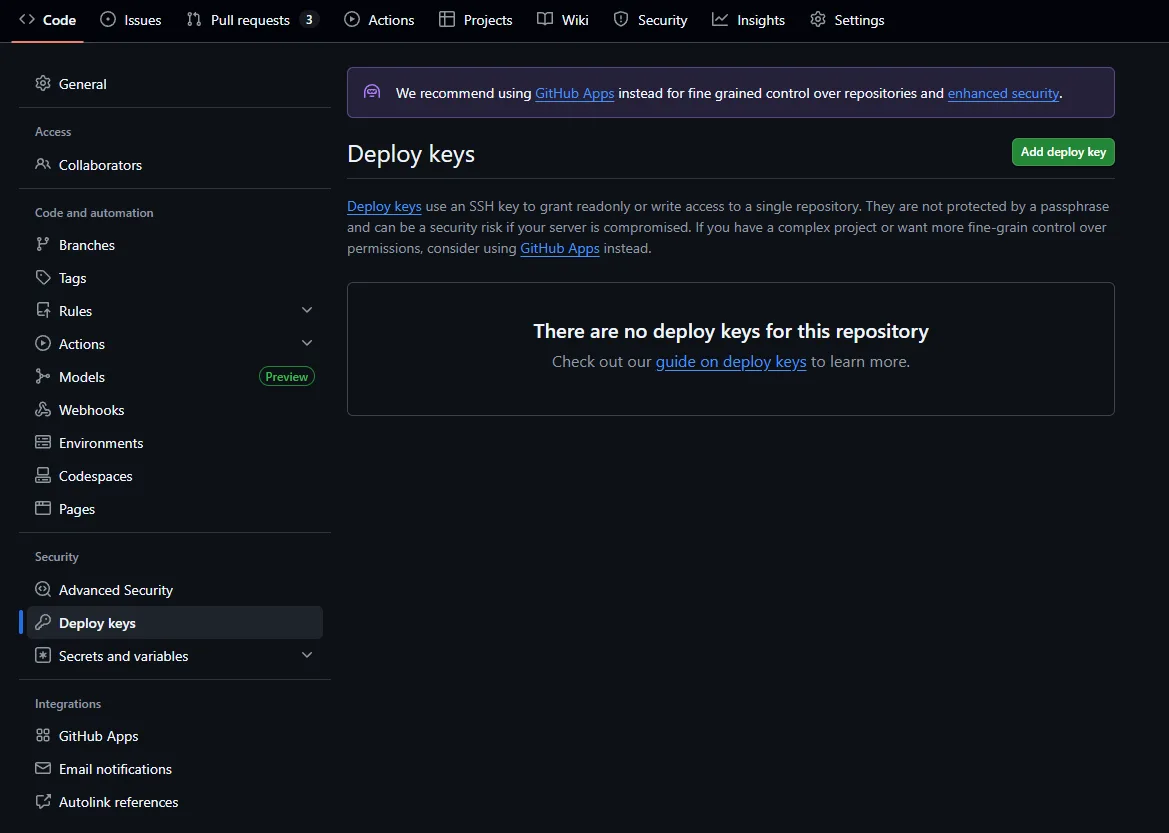
Go to your GitHub repo's Settings → Deploy keys → Add deploy key.
Generate the key
I recommend the more secure ed25519 algorithm. Generate the key locally with this interactive command; online tools aren't a great idea, since they could save your key and expose it to attacks later.
You can run it directly in ~/.ssh/ on your server to save yourself the trouble of copying files afterward.
ssh-keygen -t ed25519That command creates two files in the current directory: one with no extension (your private key) and one ending in .pub (your public key).
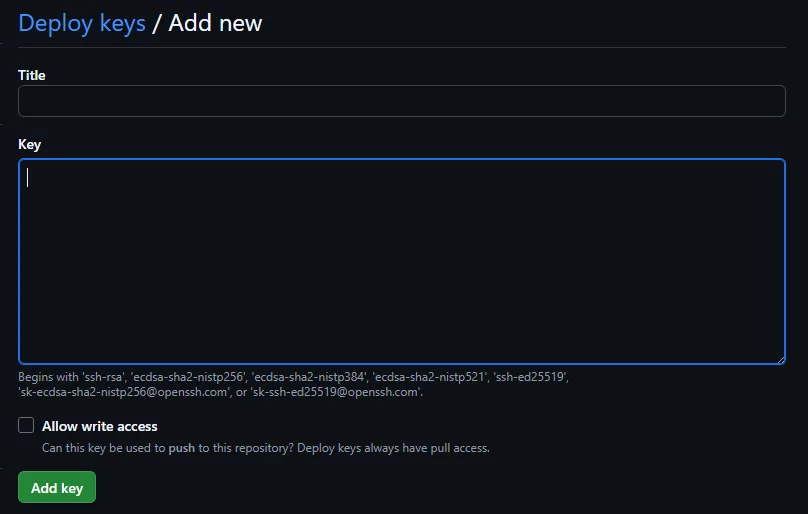
Paste the public key into GitHub. Check Allow write access if you need to push from the server.
Configure the server
Save the private key in ~/.ssh on the server (or somewhere else if you prefer).
Edit ~/.ssh/config so GitHub uses that key:
nano ~/.ssh/configAdd the following:
Host embodied_sys # Host alias; change it if you like
  HostName github.com
  User git
  IdentityFile ~/.ssh/embodied_sys # Path to the private key
Now clone using the host alias you configured. Future clone/pull/push operations won't ask you to authenticate again, unless you gave the key a passphrase.
git clone embodied_sys:USERNAME/REPO.git