Beware of the PATH environment variable being truncated
Background
Everything was working fine, and then I suddenly noticed that command-line tools such as ffmpeg, codex, gemini, and uv could no longer be used from the command line. I immediately checked their installation directories, and the files were still there, so the problem had to be with the environment variables.

I checked the environment variable settings and was horrified, cuz the environment variables had been severely truncated. I checked the length of Path, and it was exactly 1024 characters.
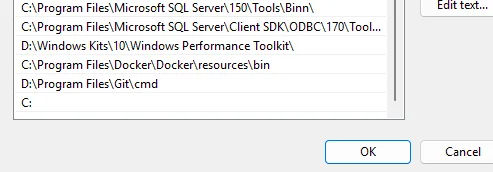
My guess is that some program updated the environment variable during an update by using the batch command setx PATH "%PATH%;xxx". When setx exceeds 1,024 characters, it forcibly truncates the value, causing this disaster. (Who is still using this in 2026?)
Solution
Emergency Recovery
Read the Environment Variables from an Existing Process
Fortunately, I had not shut down my PC when I discovered the problem. After a process reads the environment variables, it creates a process-level snapshot. We can use System Informer or other tools to read the original PATH value from a process that read it before the incident, and then use that value to restore the environment variable. If you happen to still have a terminal window from before the incident, you can simply print it out:
$env:PathIf you have already restarted the computer, there is still a Plan B below.
Check the ControlSet Backups
reg query "HKLM\SYSTEM\ControlSet001\Control\Session Manager\Environment" /v Path
reg query "HKLM\SYSTEM\ControlSet002\Control\Session Manager\Environment" /v Path
reg query "HKLM\SYSTEM\CurrentControlSet\Control\Session Manager\Environment" /v Path
System Restore Point
If you created a system restore point beforehand, you can also restore the system to recover the environment variables.
rstrui.exeA Permanent Fix
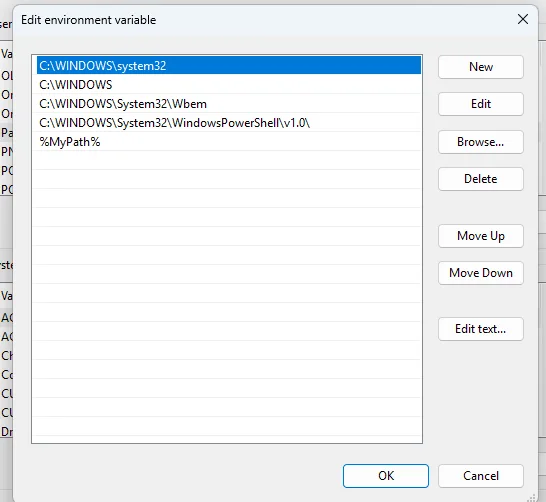
The root cause is that setx truncates Path at 1,024 characters. We can move part of Path into a separate environment variable, such as MyPath, and then reference it from Path using %MyPath%. This does not affect usability and can significantly reduce the length of Path.
You can also use AppLocker to block setx from running.