I Closed Every Port on My Server, Including 80 and 443
Background
With the release of Mythos and other models specialized in cybersecurity, the internet has moved another step closer to the rogue-AI era of cyberpunk fiction. To shrink my attack surface as much as possible, I decided to close every inbound port on my servers. Yep, even 80 and 443. But if you're reading this blog, my servers are clearly still serving the outside world. Wait, what gives? Didn't I just close everything?
Here's the setup I built with Cloudflare Zero Trust. It lets me:
- Block inbound traffic to the server on every protocol and port (TCP, UDP, ICMP, etc.)
- Keep all HTTP services publicly accessible through their domain names
- Shut out external network-layer attacks against the server IP (application-layer security is still on you)
The end result: you can't ping the server IP, and an nmap scan of all 65,536 ports turns up nothing. It looks like nobody's home. Yet every site on the server still works through its domain. Nonstandard TCP and UDP traffic can travel over a VPN within the trusted network, too. And if a serverless service that doesn't support VPN needs to reach your database, I'll cover that later.
Also, if your server is in mainland China and you don't have an ICP filing, this method can still get HTTP access working.
Build a secure channel with Cloudflare Tunnel
I'm assuming your domain is already managed through Cloudflare. If it isn't, you'll need to move it over first.
This is the key to closing off all inbound traffic. User requests already pass through Cloudflare's edge before reaching the server, so we just need to flip how Cloudflare connects to it. Instead of leaving ports 80 and 443 open and waiting for the edge to call in, the server connects out to Cloudflare's edge. That turns an inbound connection into an outbound one—and it's exactly what the Cloudflare Connector does.
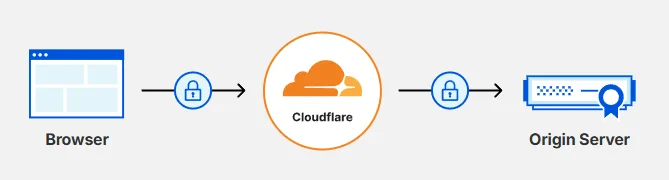
Traditional Full (Strict) connection
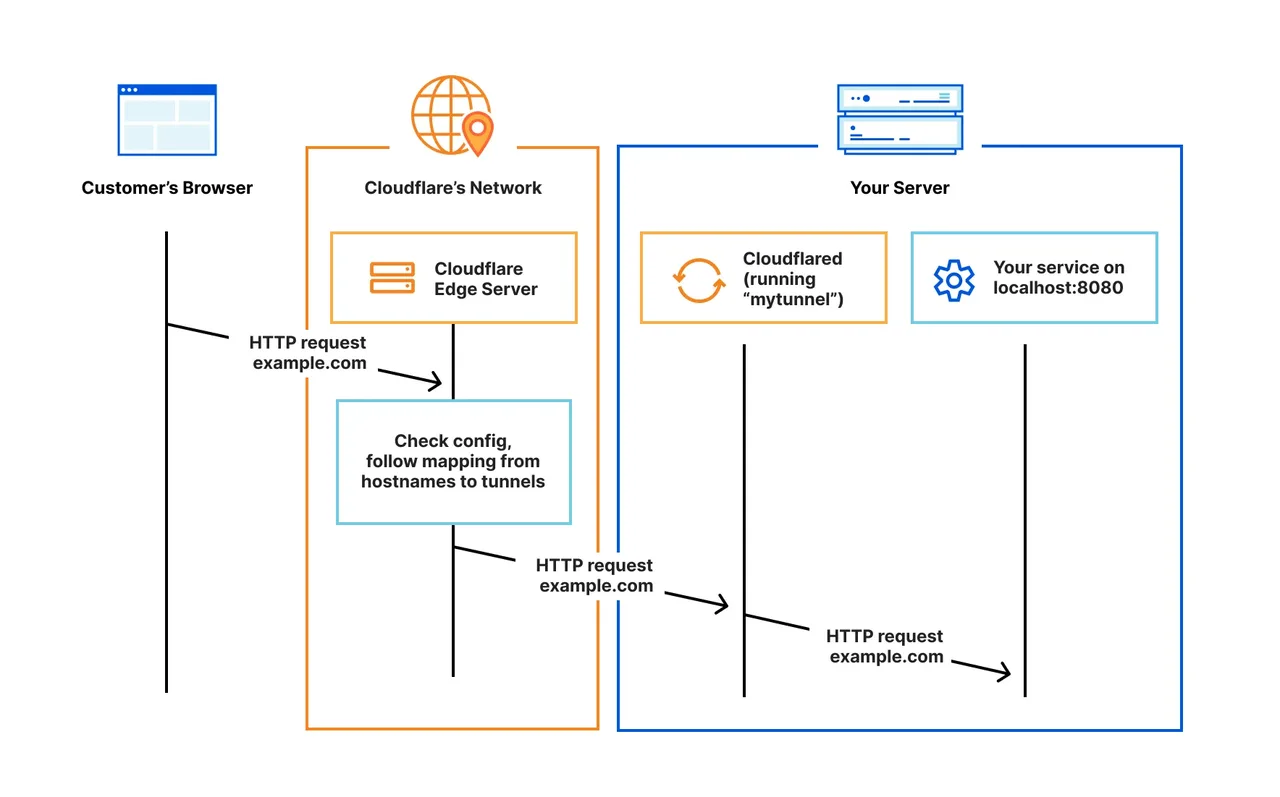
Connection via Cloudflare Tunnel
Deploy the Cloudflare Connector
dash.cloudflare.comLog in to Cloudflare One, go to Network → Connectors, and click Create Connector. Choose Cloudflared and give it any name you like.
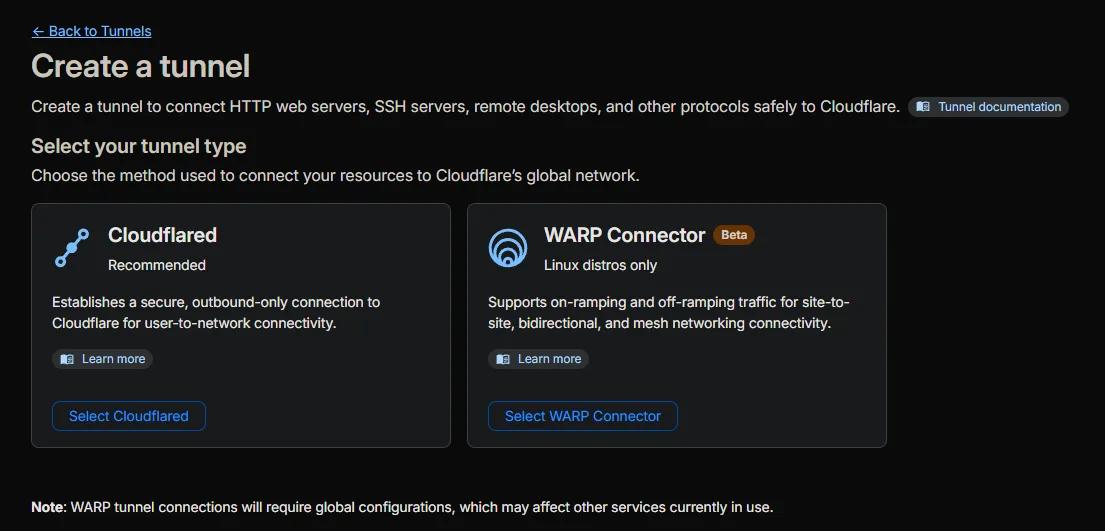
Next, install Cloudflared on your server. Pick the instructions for your OS, or install it with Docker, and run the commands shown on the server.
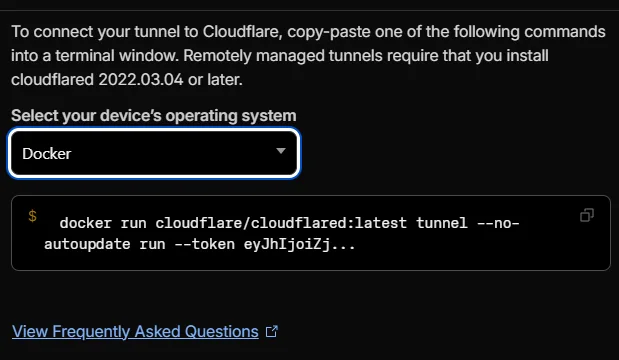
Once it's running, wait for the connection to come up, then move on.
Configure the public route
Create a route under Published application routes. Requests to the subdomain you set will be forwarded to the IP in the Service settings below. Usually, choose HTTP and enter localhost: followed by your local service port as the URL. If you're using Traefik or another reverse proxy, localhost:80 will do. If you choose a non-HTTP(S) service, it won't be publicly accessible through the domain; I'll get to how to reach those services later.
One thing to watch: the cloudflared process on the server makes this request. To your app, the source IP looks like the server's own loopback address, and it can reach services bound only to 127.0.0.1. Some application firewalls automatically trust traffic from the local machine, so keep that in mind. You don't need HTTPS here, either: the HTTP hop stays on the server, while the Connector-to-edge hop uses TLS. Only select HTTPS if your local service accepts HTTPS connections exclusively.
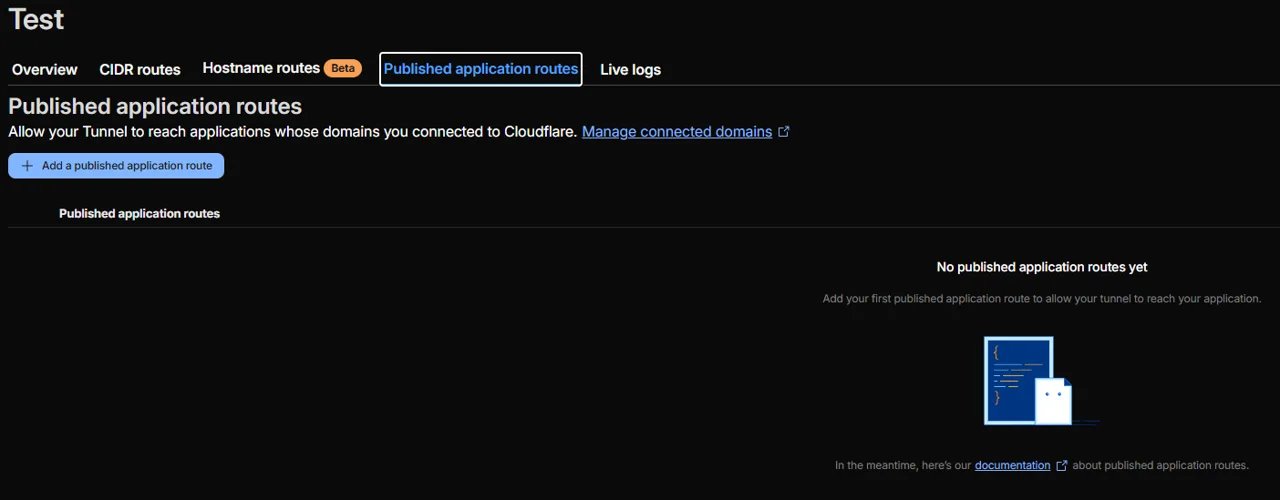
Create Published application routes
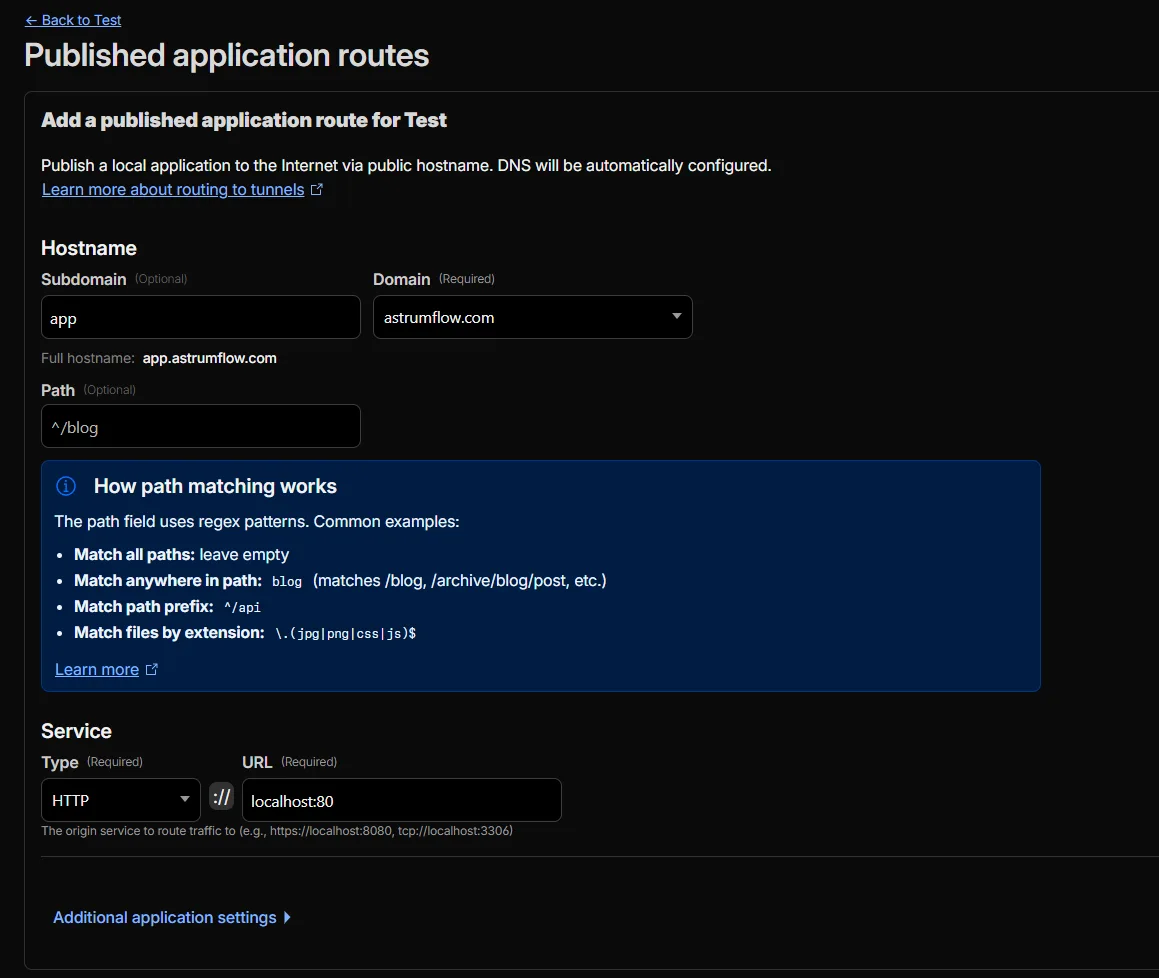
Fill in the settings
At this point, you can reach apps on the server directly through the configured domain. Both the browser-to-Cloudflare and Cloudflare-to-server links are encrypted. And because you no longer depend on public-facing ports, this is safer than Full (Strict) encryption mode.
Close all inbound ports
Just block all inbound traffic in your cloud provider's firewall. If your provider doesn't offer one, you can configure UFW on the host instead. Before closing everything, though, establish a reliable VPN-based SSH path so you don't lock yourself out.
Now your server IP is shielded from external network-layer attacks. (That public IP is basically useless now.)